Metal Detector & Gold Finder
Publisher Description



Gold Finder: Camera detector, compass, metal detector app with sound & Rock Info
Metal Detector app is your tool for easily finding hidden metal objects. Gold Finder app combines a metal, object, and gold detector to help you locate valuable items. Metal detector app with sound will notify you when metal is nearby.
Detect all kinds of metal, including silver, and metal with the Metal Finder and Metal Detector app with sound. EMF Metal detector feature improves your search, while the Smart Compass and Digital Compass guide you. Users can use the Metal Detector & Finder for a simple and effective way to find metal objects. Silver Detector app provides Rock Information to help you identify different types of rocks. Camera detector feature uses your phone's camera to detect objects and the sensor information gives you detailed data about your phone's sensors motion sensor, step counter, magnetometer sensor, etc. The settings section of the Metal Detector Gold Finder app provides important settings for easy access. These settings include Wi-Fi, Bluetooth, data usage, sounds, hotspots, and many more.
Metal Detector:
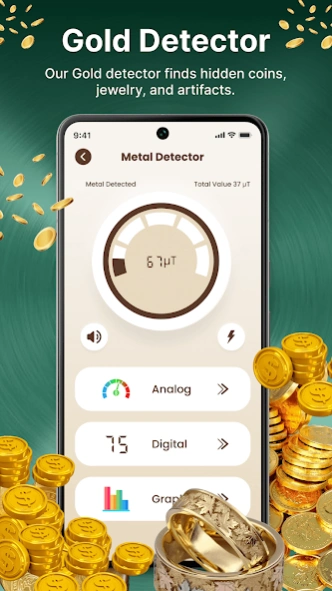
Metal detector camera app uses your phone camera to detect metals. Open the Metal Detector Gold Finder app and move your phone around; it will detect metals and show the detection on your phone screen with beeping sounds and also you can enable a flashlight for detection. A hidden metal detector uses a magnetic sensor to find metal. You can use Hidden Metal Finder anywhere for metal finder, coin finder, and detector purposes. Metal detector and gold detector shows results in three methods: 1. Analog 2. Digital 3. Graph.
Phone Setting Tool:
Metal Finder app features a Phone Setting Tool that gives you quick and easy access to your phone's settings. This makes it simple to adjust your device's configurations.
Rock Information:
Metal detecting app for android includes a Rock Information feature that provides names and brief introductions to various rocks. This feature helps users identify and learn about different types of rocks.
Camera Detector:
Detect objects such as metal, coins, and keys using the camera detector feature of the gold detector app.
Features:
Metal Detector & Gold Detector find metals and objects.
Metal detector app with sound camera whenever metal finder detects any object it will notify you with sound.
Smart Compass with a gold detector app with sound helps you navigate metal objects with ease. Use a digital compass to find hidden metal treasures.
Phone sensor information and Rocks Information.
Note:
Metal Detector uses your phone's built-in magnet sensor to find metal. If it's not working right, please check your phone's specifications. Check that your device has a magnetic sensor for the app to work correctly. Remove any magnetic covers or cases, as they can interfere with the sensor. The app performs best with a good magnetic sensor on your device, so the results may vary depending on your device.
Contact Us: Ask anything we will appreciate your feedback: o3solutions.apps@gmail.com
About Metal Detector & Gold Finder
The company that develops Metal Detector & Gold Finder is Ozone Team. The latest version released by its developer is 1.0 .
To install Metal Detector & Gold Finder on your Android device, just click the green Continue To App button above to start the installation process. The app is listed on our website since 2025-03-25 and was downloaded 16 times. We have already checked if the download link is safe, however for your own protection we recommend that you scan the downloaded app with your antivirus. Your antivirus may detect the Metal Detector & Gold Finder as malware as malware if the download link to com.metaldetector.camera.detector.compass.metal.finder is broken.
How to install Metal Detector & Gold Finder on your Android device:
- Click on the Continue To App button on our website. This will redirect you to Google Play.
- Once the Metal Detector & Gold Finder is shown in the Google Play listing of your Android device, you can start its download and installation. Tap on the Install button located below the search bar and to the right of the app icon.
- A pop-up window with the permissions required by Metal Detector & Gold Finder will be shown. Click on Accept to continue the process.
- Metal Detector & Gold Finder will be downloaded onto your device, displaying a progress. Once the download completes, the installation will start and you'll get a notification after the installation is finished.
